
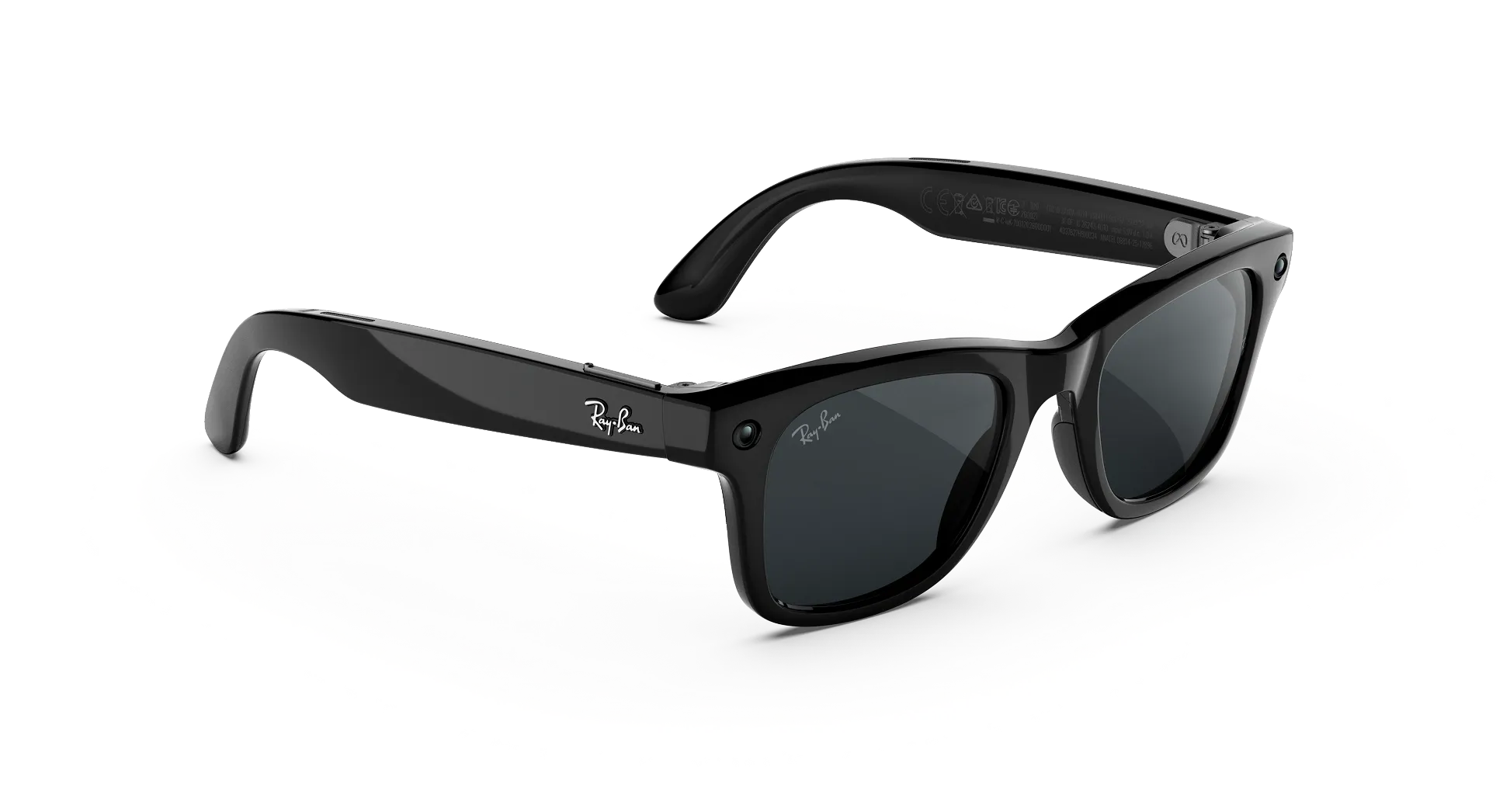
Ray-Ban Meta Gen 3 Features Explained
Ray-Ban Meta Gen 3 features go well beyond a camera built into a frame, combining hands-free capture, audio, and genuine AI assistance into one everyday pair of glasses. At Lawrence and Mayo, this guide breaks down exactly what each feature does.
Why Ray-Ban Meta Gen 3 Feels Different From Regular Glasses?
Ray-Ban Meta Gen 3 combines a hands-free camera, open-ear speakers, a six-microphone array, and the Meta AI assistant into a single pair of glasses, genuinely changing what a pair of glasses can do beyond vision correction alone in everyday life.
Ray-Ban Meta Gen 3 Core Features?
| Feature | What It Does | Why It Matters |
|---|---|---|
| Hands-free camera | Captures photos and video without a phone | Genuinely useful for spontaneous moments |
| Open-ear speakers | Plays music, podcasts, and calls | Keeps ears open to surroundings while listening |
| Six-microphone array | Reduces background noise during calls | Meta states it cuts up to 90% of background noise |
| Meta AI assistant | Answers questions, gives reminders | Hands-free access to information on the move |
| Customisable action button | Quick access to Meta AI | Faster than a voice command in some situations |
How the Hands-Free Camera Actually Works?
A single press of the capture button on the frame takes a photo or starts video recording, letting you capture a moment without reaching for a phone or breaking eye contact with what is genuinely happening in front of you.
Explore Ray-Ban Meta Gen 3 at Lawrence and Mayo to see the camera and capture button in person.
What Can Meta AI Actually Do on Gen 3?
Meta AI can answer questions, set reminders, and provide suggestions, all through voice commands, without needing to unlock or hold a phone during the interaction itself.
Why Open-Ear Audio Matters for Everyday Use?
Open-ear speakers let you listen to music or take calls while still hearing traffic, conversations, and your surroundings, a genuine safety and practicality advantage over traditional earphones during daily wear.
Browse Ray-Ban Meta Gen 3 to experience the audio and camera features firsthand before deciding.
How the New Action Button Improves the Experience?
The customisable action button on Gen 3 gives quicker, more direct access to Meta AI than relying solely on a wake phrase, genuinely speeding up common interactions throughout the day.
Is Dolby Atmos Available Yet?
Not yet. Meta has confirmed Dolby Atmos spatial-audio video capture is coming to Gen 3 as a software update later this year, adding to the video features already available at launch.
What Features Require a Paired Smartphone?
Most features, including camera transfer, Meta AI setup, and app-based customisation, genuinely require the Meta AI app running on a paired smartphone to function fully and reliably.
Considering Features for Content Creators Specifically?
Hands-free video capture combined with genuinely wide-angle framing makes Gen 3 a practical tool for creators wanting first-person footage without holding a camera or phone throughout a shoot.
How Voice Commands Work Alongside the Action Button?
Voice commands and the action button serve slightly different purposes, with voice suited to hands-fully-occupied moments and the button offering a faster, more deliberate way to trigger Meta AI.
Considering Battery Impact of Heavy Feature Use?
Using the camera and Meta AI features frequently throughout the day will genuinely draw down battery faster than lighter use, worth keeping in mind alongside the glasses’ rated 9-hour battery life.
Why Software Updates Matter for These Features?
Several Gen 3 features, including Dolby Atmos support, arrive through software updates after launch, meaning the feature set genuinely continues to grow after your initial purchase.
The Verdict
Ray-Ban Meta Gen 3 features work together to turn a familiar pair of glasses into a genuinely useful hands-free device, without adding noticeable bulk or changing the classic Ray-Ban look. Each feature is designed to fit naturally into everyday moments rather than demand attention on its own. Visit the Lawrence and Mayo Boutique to try every feature in person before you buy.
Frequently Asked Questions
1. What are the core features of Ray-Ban Meta Gen 3?
A hands-free camera, open-ear speakers, a six-microphone array, and the Meta AI assistant.
2. How does the hands-free camera work?
A single press of the capture button takes a photo or starts video recording.
3. What can Meta AI actually do on Gen 3?
Answer questions, set reminders, and provide suggestions through voice commands.
4. Why are open-ear speakers used instead of in-ear ones?
They let you hear your surroundings while still listening to music or taking calls.
5. What does the new action button do?
It gives quicker, more direct access to Meta AI than a wake phrase alone.
6. Is Dolby Atmos available on Ray-Ban Meta Gen 3 right now?
Not yet, it is confirmed as a software update coming later this year.
7. Do Ray-Ban Meta Gen 3 features require a smartphone?
Yes, most features need the Meta AI app on a paired smartphone to function fully.
8. Is Ray-Ban Meta Gen 3 useful for content creators?
Yes, hands-free wide-angle video capture makes it practical for first-person footage.
9. Does the six-microphone array genuinely reduce background noise?
Meta states it cuts up to 90% of background noise during calls and voice commands.
10. Where can I try Ray-Ban Meta Gen 3 features in person?
At the Lawrence and Mayo Boutique, where the full feature set is available to test.
Leave a Reply